Screens
What the web UI looks like with real work in it. Every picture below is of one instance, seeded
from the example corpus
and put to work on the showcase/
shelf: a sixteen-step nightly load over eight regions, the same night with one region's export
refusing, and a morning briefing over four feeds. Nothing here is a mockup, and nothing is a
happy path either. Click any picture to enlarge it.
The UI ships inside the server, so there is nothing to deploy to see this. dg dev is one
process with the API, a worker and the bundle in it, and make dev-seeded is that with the
corpus already applied.
The dashboard
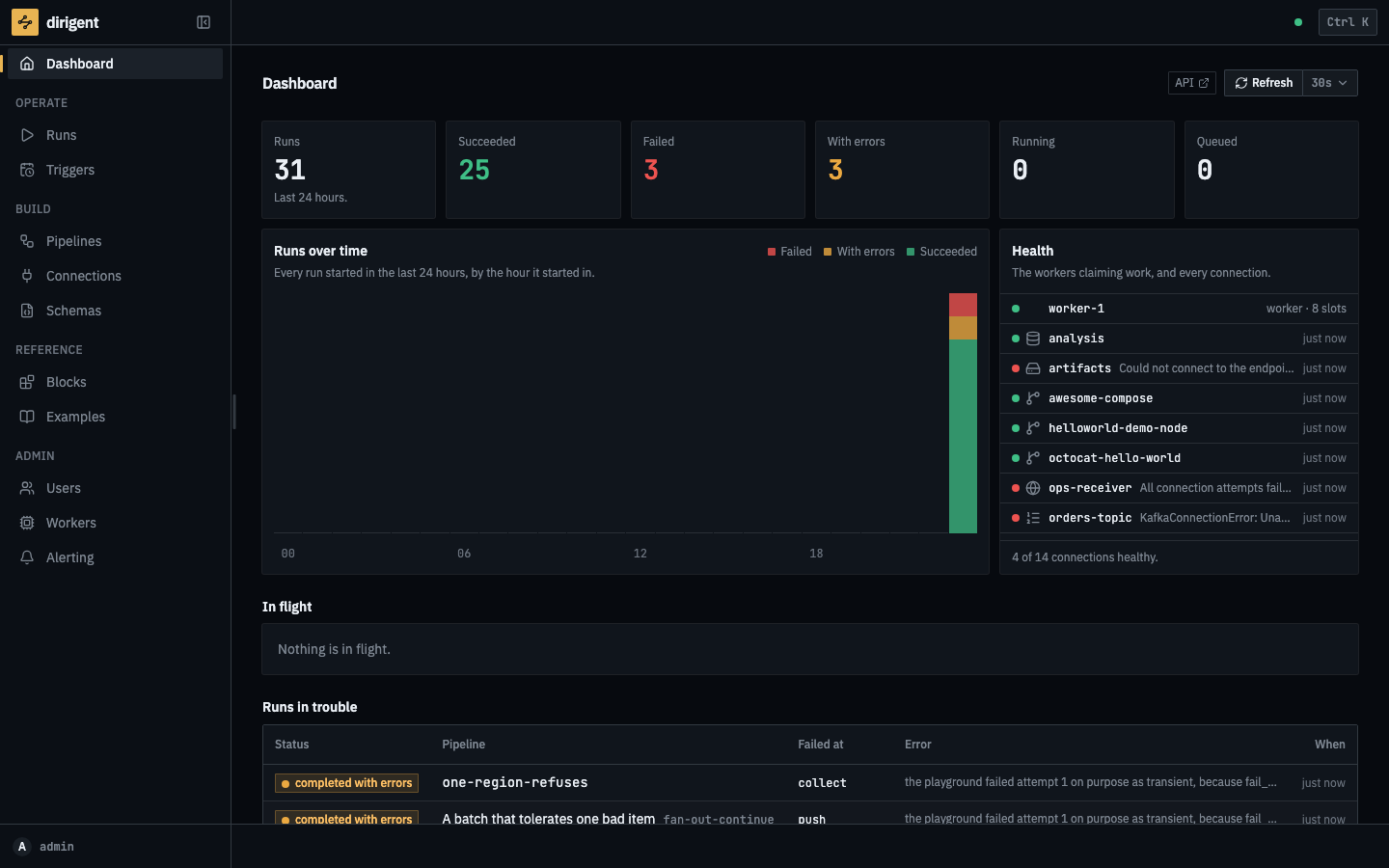
A day at a glance: how many runs there were, how they ended, and whether the things this instance talks to are answering.
Pipelines
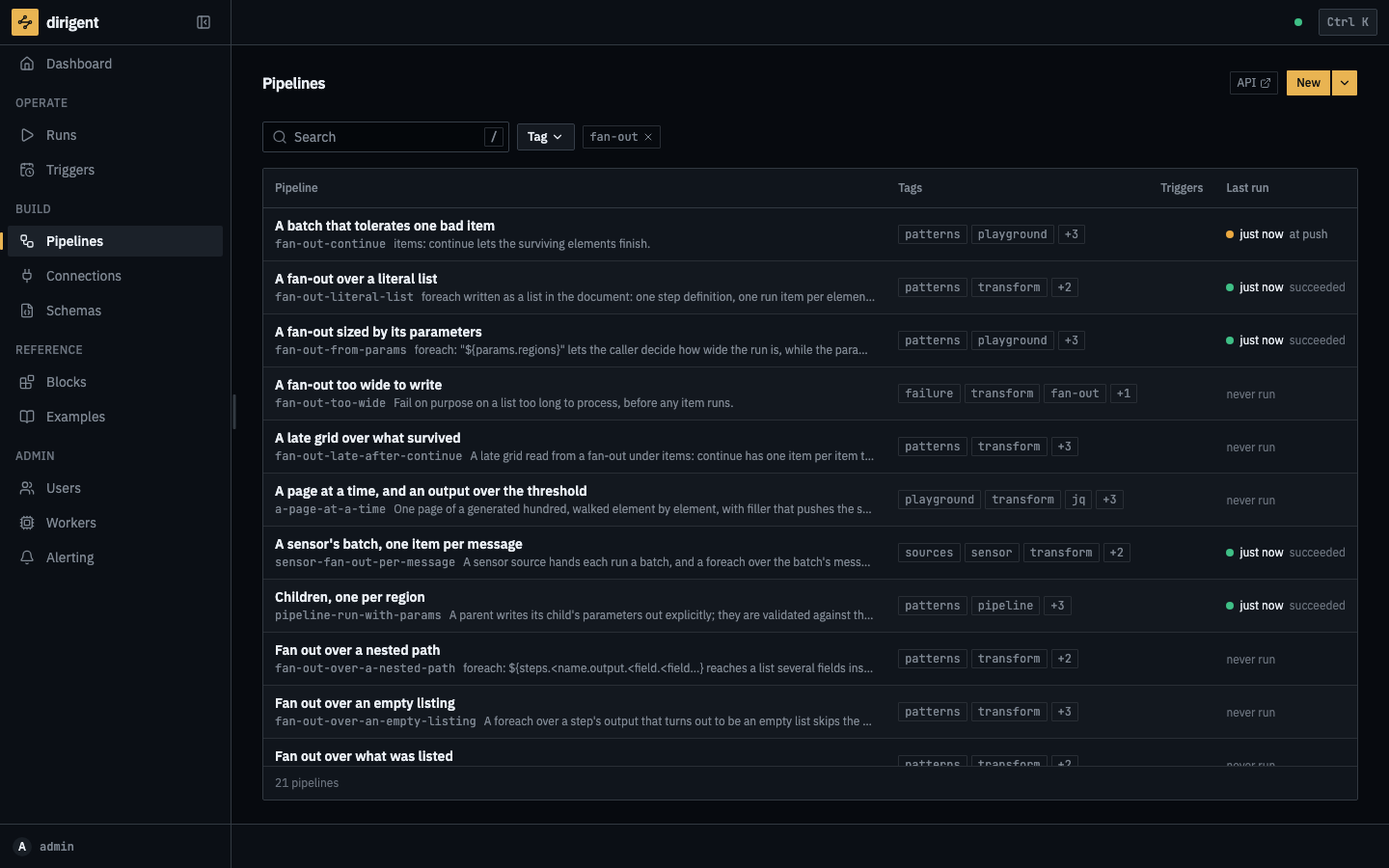
Every document on the shelf, narrowed to the ones that fan out. Pipelines are found by the tags they wear rather than by a folder somebody agreed on, and the last run is on the row.
The editor
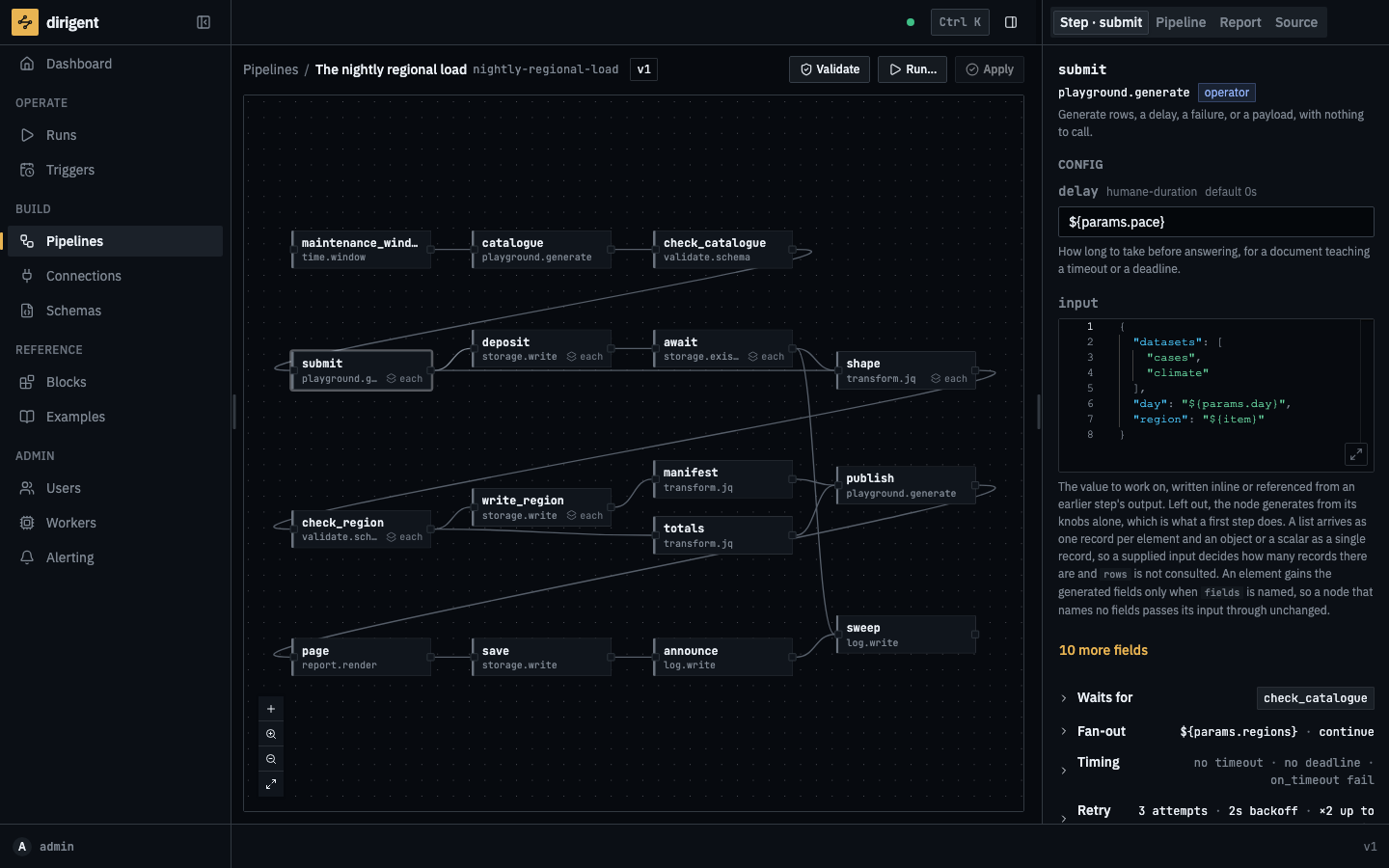
The graph is drawn from the document, and the panel is the step under the pointer: its block, its config, its retry budget and what it fans out over.
A run in flight
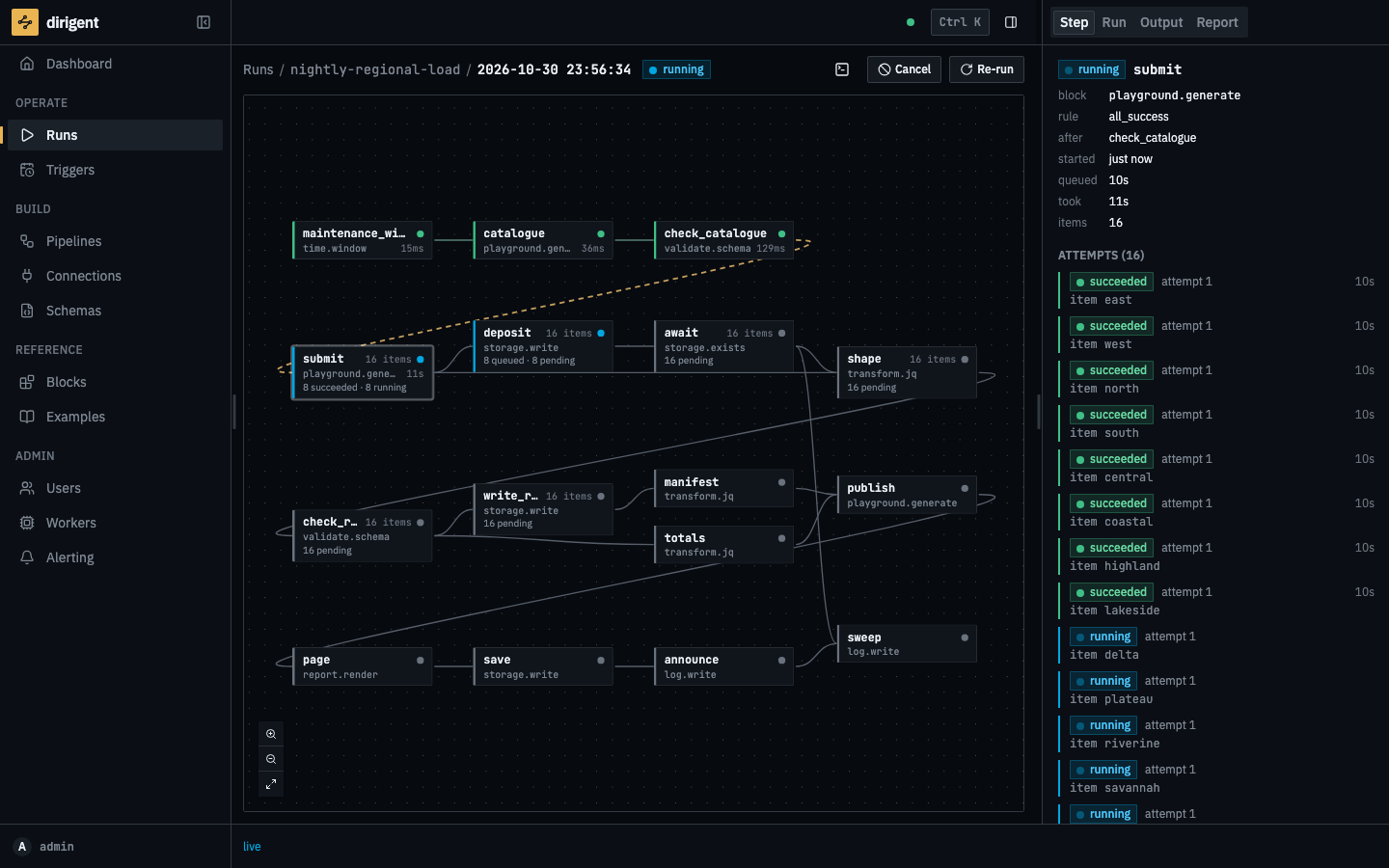
A fan-out while it is still happening. This run was given sixteen regions rather than the usual eight, which is more than the worker has slots for: the first eight exports have answered and the next eight are in the air, each one its own attempt with its own status and its own clock. Everything downstream is a grid already laid out and waiting for them.
A run that ended short
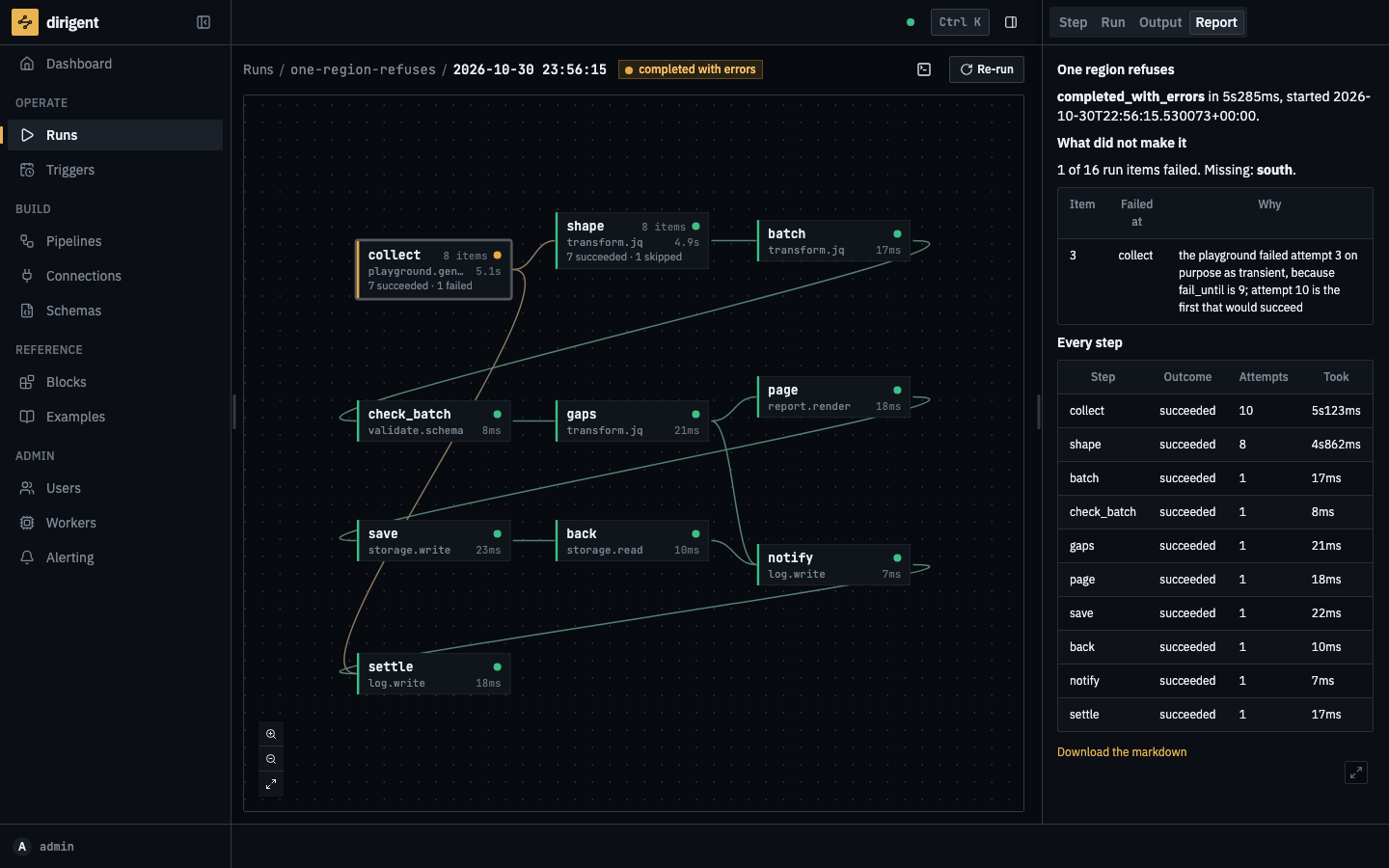
completed_with_errors is a third status and not a shade of failed: seven regions loaded and
one did not. The report is the run's own account of itself, rendered when it settled.
Runs
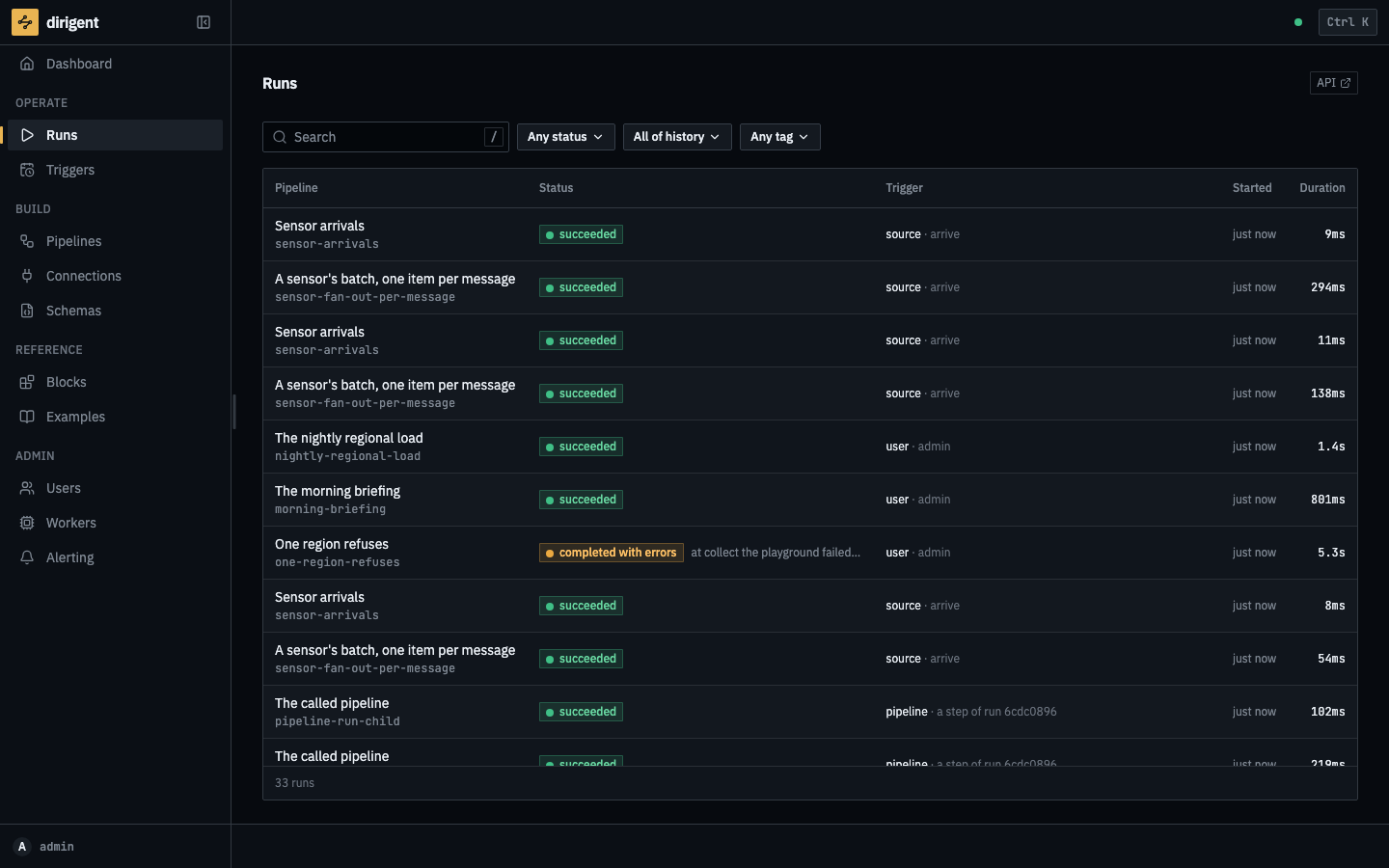
Every run, newest first, with the status it settled in. A green history teaches nothing, so this one is mixed on purpose.
Connections
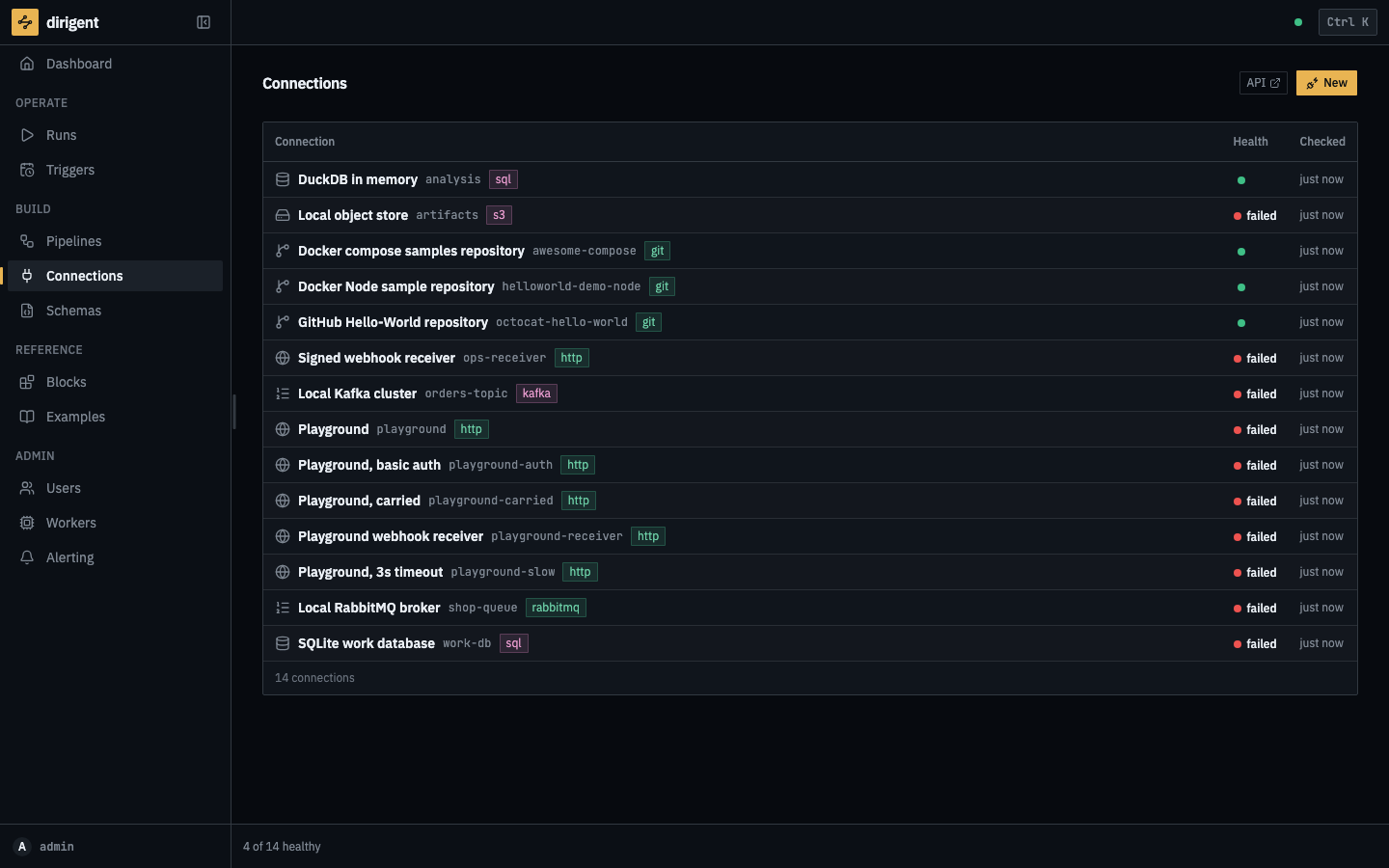
What this instance can reach, by code and kind. Secrets are encrypted at rest and redacted in every answer; what is on screen is the health of the last check.
Alerting
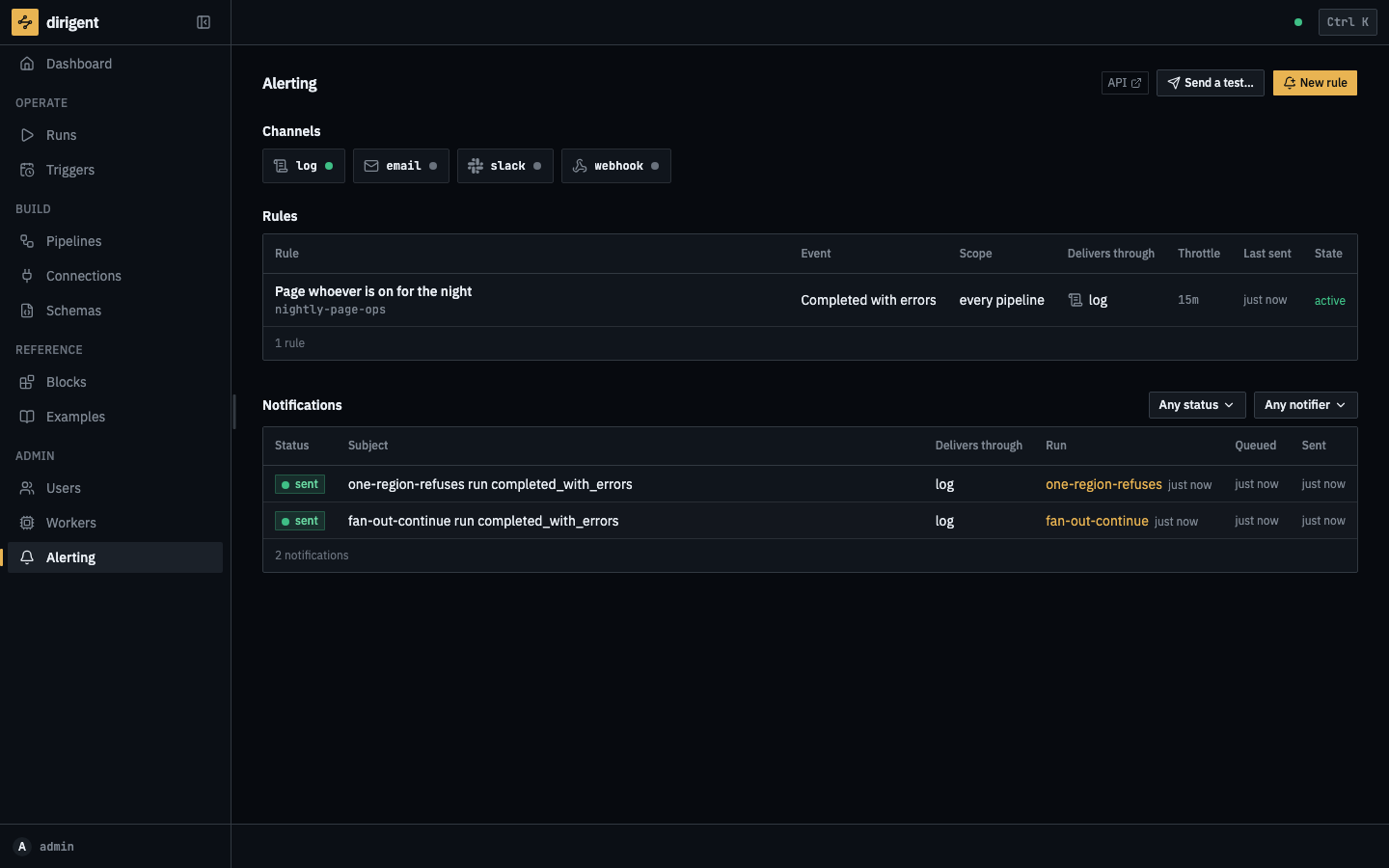
One chip per channel, and the rules underneath. The log channel needs no credential, which is what makes alerting work on a fresh install.
The block catalog
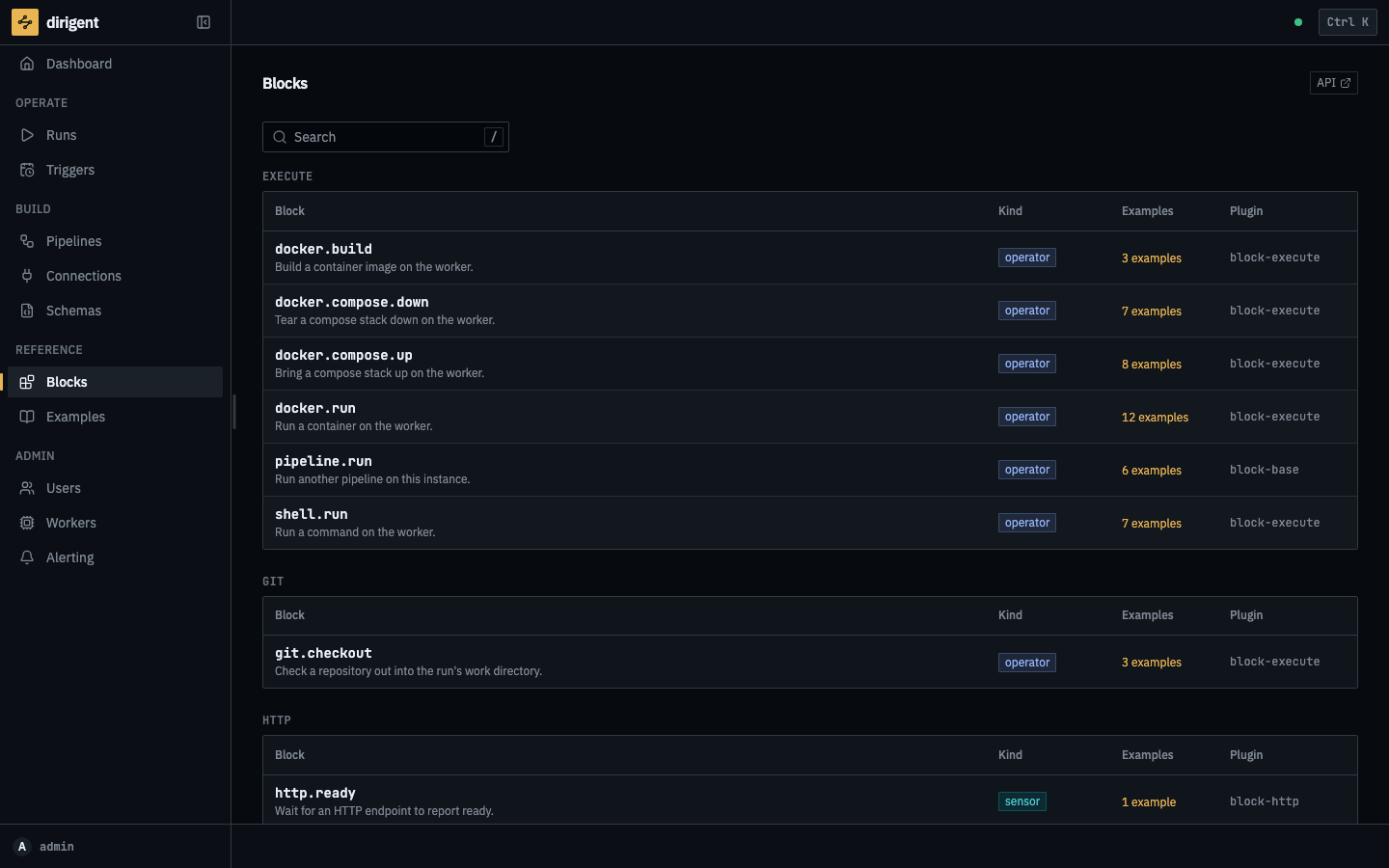
Every block the installed packages contribute, with the config schema that validates a step and renders its form. Installing a pack extends this list without a frontend release.
How these are made
make docs-shots drives a seeded instance in a real browser, runs the showcase documents to the
states each picture needs, and writes the nine files into docs/images/screens/. They are the
dirigent palette in dark mode at 1440x900, and the script refuses to take a picture of a screen
that scrolls sideways at that width. They are re-shot on each release, so what is on this
page is what the version you installed looks like.